If you’re running Must Have Cookie for cookie consent on a BerqWP-optimized site, the consent banner needs specific settings on both sides to preload correctly instead of loading late or not appearing at all. This article walks through the exact steps.
TL;DR: In BerqWP, exclude Must Have Cookie’s CSS and JavaScript files from optimization and make sure Defer Excluded JavaScript is off, that’s what lets the banner preload instead of being delayed. In Must Have Cookie, add BerqWP’s domain and CDN domain under Tools > Must Have Cookie > Domains, set as Essential. Flush your BerqWP cache afterward.
Why Preloading the Must Have Cookie Banner Requires These Settings
BerqWP optimizes CSS and JavaScript across your site by default, which usually means delaying or deferring scripts to speed up the page. A cookie consent banner is the opposite case: you want it to preload and appear immediately, not be delayed like a typical script. Without excluding Must Have Cookie’s files from BerqWP’s normal optimization, the banner gets treated like any other script and loses the preload behavior it needs.
Step 1: Exclude Must Have Cookie’s Banner Files in BerqWP
Go to BerqWP > CSS & JavaScript.
Under Exclude CSS, add:
wp-content/mhcookie/styles.css
Under Exclude JavaScript, add both of these, one per line:
/plugins/must-have-cookie/
window.mhCookie
Then make sure Defer Excluded JavaScript is turned off. This is the setting that actually controls preloading here: leaving it on defers the excluded script, which is the opposite of what you want for a banner that needs to preload and appear right away.
Step 2: Whitelist BerqWP’s Domains in Must Have Cookie
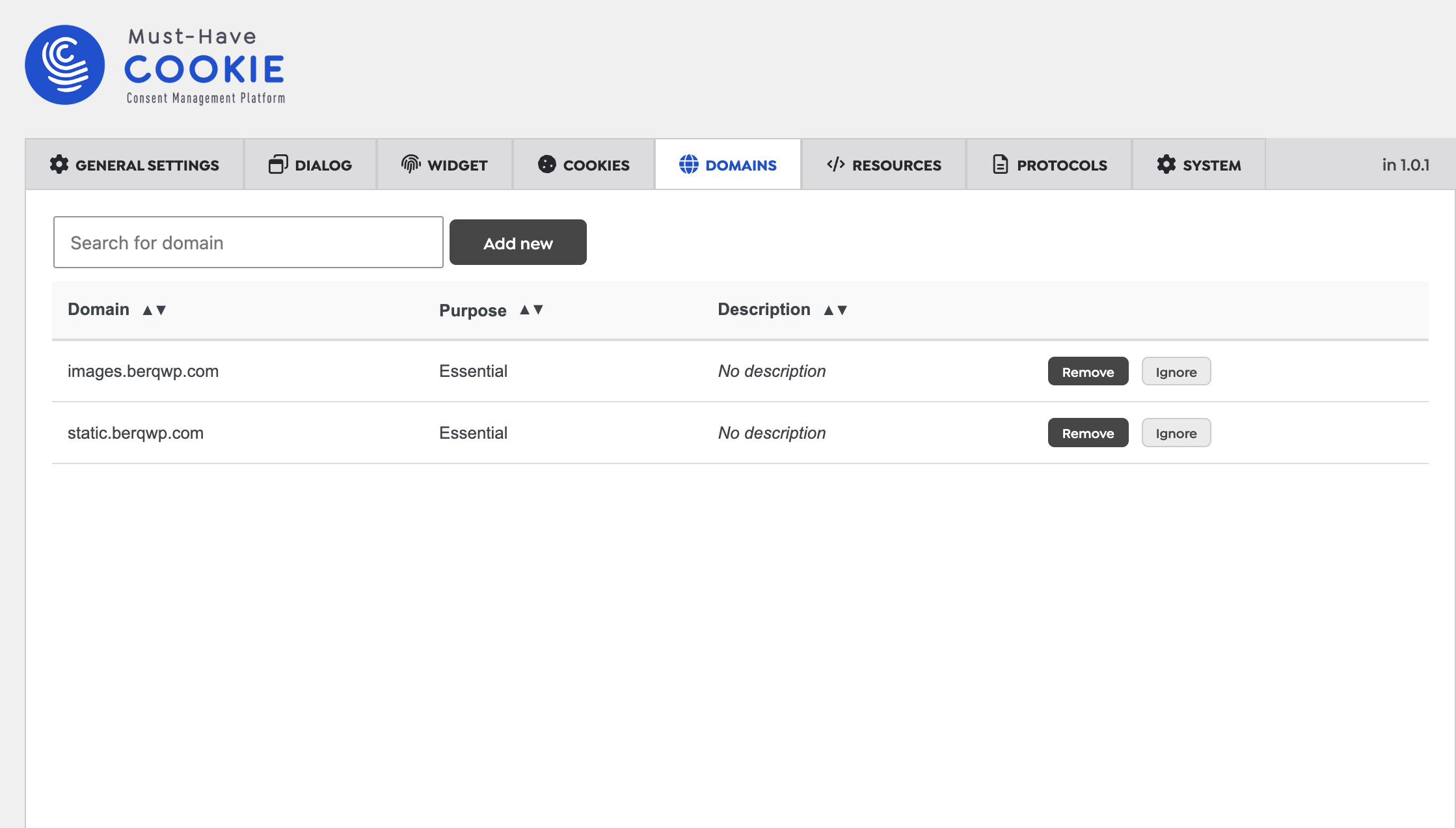
Go to Tools > Must Have Cookie > Domains in your WordPress admin.
Add the following two domains, and for each one, set the category to Essential, then save:
static.berqwp.com
images.berqwp.com
Marking these as Essential tells Must Have Cookie not to block them while waiting for visitor consent, since they’re part of how BerqWP delivers your site, not third-party tracking.
Step 3: Flush BerqWP’s Cache to Apply the Preload Settings
After saving both sets of changes, flush BerqWP’s cache (BerqWP > Flush Cache, or the Flush Cache option in your admin bar) so the new exclusions apply to pages that were already cached under the old configuration.
How to Confirm the Must Have Cookie Banner Is Preloading Correctly
Visit your site in an incognito window and confirm the cookie banner appears immediately rather than popping in late, and that accepting or rejecting cookies behaves as expected. If the banner still appears late, or interacting with it doesn’t do anything, double check that both Exclude JavaScript entries were saved correctly and that Defer Excluded JavaScript is off, those two are the most common things to miss.

